How to make sure you produce as per the last reference?
A spec change used to trigger a full cycle. An engineer pulled the latest drawing, opened the old instruction, compared them, rewrote by hand, sent for validation, and made sure it reached the line. One engineer, per update, every update.
Execution time per operator-instruction update
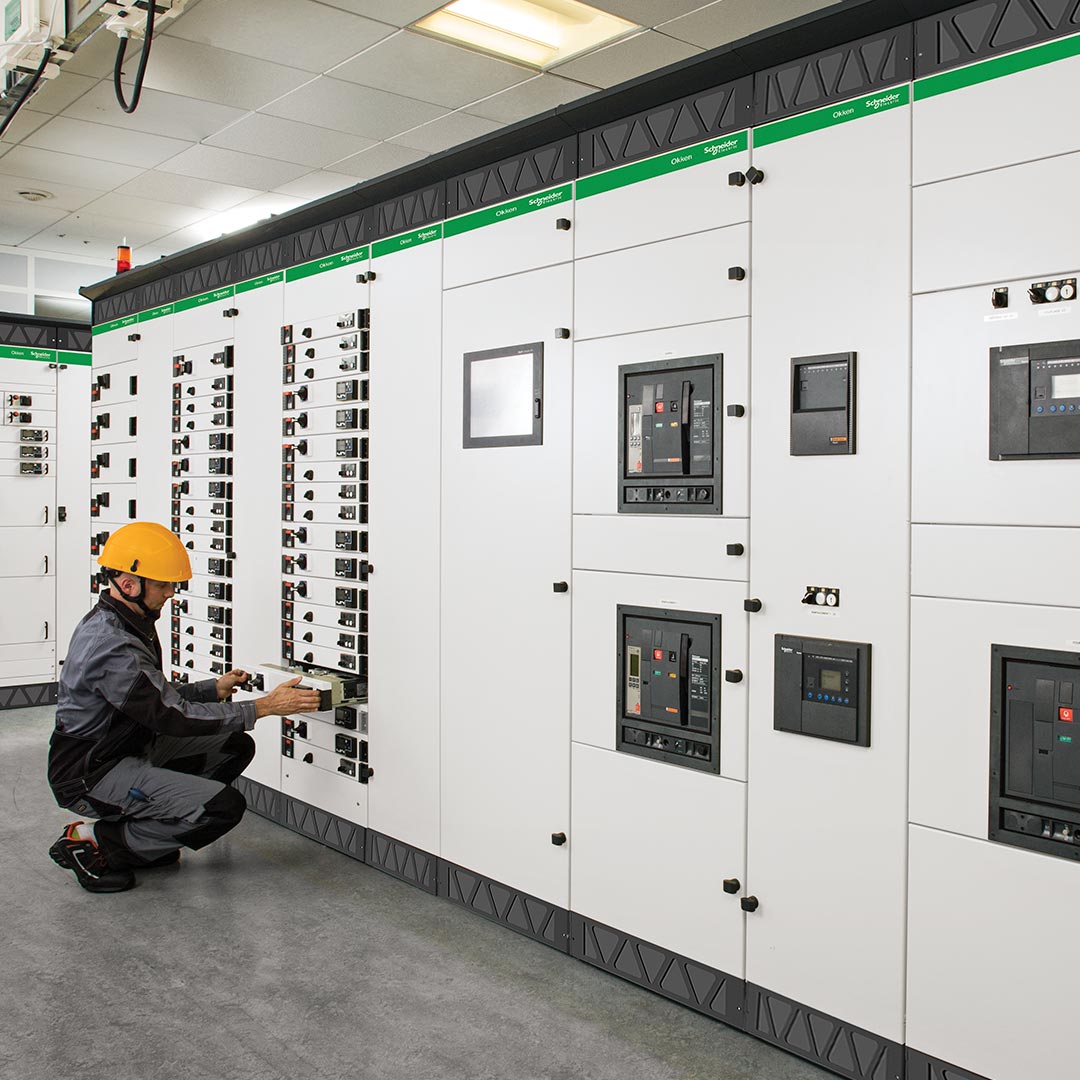
The Okken line, on the shop floor.
Okken is Schneider Electric's modular low-voltage switchboard for large industrial, tertiary, and infrastructure sites. The pipeline ships operator instructions for the cabinets you see here. The ones that end up in plants, data centres, and heavy industry across Europe.
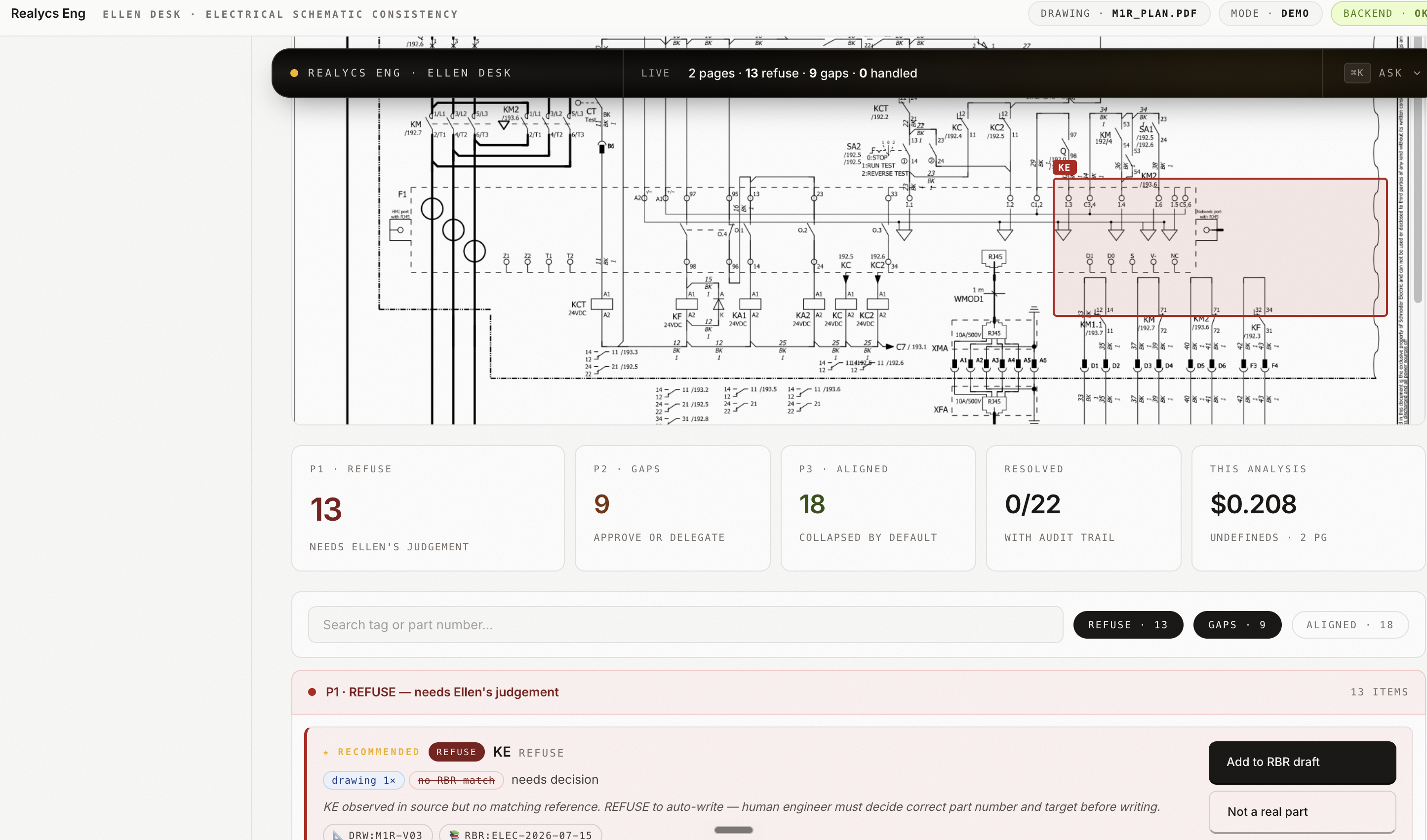
Ellen's desk. One review surface, every gap flagged.
Ellen is the engineer who owns the final call. The desk shows her the schematic, every part the pipeline refused, every gap it could not resolve, and the accuracy of the current run. She reviews, she decides, the line moves.
Transcription work, wearing an engineering job title.
Schneider's site builds a large volume of engineered assemblies. Each one carries a stack of technical documents that flow through several enterprise systems: the CAD model, the electrical schematic, the bill of materials in the PLM, the same bill of materials again in SAP, the operator instructions on the shop floor.
When a specification changed, even by a single part reference, the operator instruction had to be updated to match. An engineer opened the new drawing. Opened the old instruction. Compared them section by section. Retyped the change. Ran it through validation. Then made sure it reached the line. High-skill people, low-judgement content. Every update, every time.
The real cost was the lag between design intent and shop-floor reality. Between the moment a spec changed and the moment the operator saw the change, mistakes had time to happen.
Three chained pipelines. Deterministic where it can be, AI where it must be.
We split the job into three chained pipelines. Each one has a single responsibility and its own evaluation. Deterministic Python handles the heavy lifting on the pages: splitting, cropping, cleaning. Language-model inference is reserved for the two moments that need reading comprehension.
Vision extraction of the drawing
The drawing is opened and sliced into semantic regions. A vision model reads each region and returns structured JSON of every callout, dimension and part reference. Consistency is verified before the data moves on.
Column-level parsing of the schematic
The electrical schematic is column-split with computer vision. Each column is handled independently by a lighter language model. Small units, tight prompts, one job per call. The failure mode of any one column stays local.
Merge to operator instruction
The clean drawing data and the parsed schematic are reconciled into a single structured payload. That payload is rendered into the plant's operator-instruction format. The engineer receives it pre-written, ready to review.
The pipeline, at a glance.
The engineer stopped rewriting, and started reviewing.
Before, per spec change
- Pull the latest drawing.
- Open the previous operator instruction.
- Compare them by eye.
- Rewrite the instruction by hand.
- Send it for validation.
- Make sure it reaches the line.
After, per spec change
- The updated spec goes in.
- The production-ready instruction comes out.
- The engineer reviews instead of rewrites.
Built to live inside a locked corporate Microsoft environment.
Schneider's operational environment is Microsoft-native and locked down. No admin rights on engineering laptops. No arbitrary Node runtimes. No free-form Python. The orchestration layer was rebuilt on Microsoft Power Automate so the pipeline runs inside the corporate perimeter. The computer-vision steps sit in a container the plant IT team can review and approve.

Runs inside Schneider's corporate M365 tenant. Works without admin rights on engineering laptops. Every flow is reviewable by the plant IT team.

Runs OCR on each sliced page region and returns structured JSON of every callout, dimension, and part reference. Chosen for accuracy on technical drawings and EU-hosted inference.

Parses each schematic column with an Ollama-hosted model running on-prem. One column, one tight prompt, one job per call. Data stays inside the plant perimeter.
Deterministic slicing, cropping, and OCR. Runs in an approved container the plant IT team can review, audit, and pin to a version.
Every artefact stays inside Schneider's M365 perimeter. Audit trails included. Engineers open drafts in the same tool they already use for everything else.
Each stage is tested in isolation with its own evaluation set. A regression in one pipeline never blocks the others.
If your engineers are still transcribing, we can show you what to automate first.
Apply for a Free Build